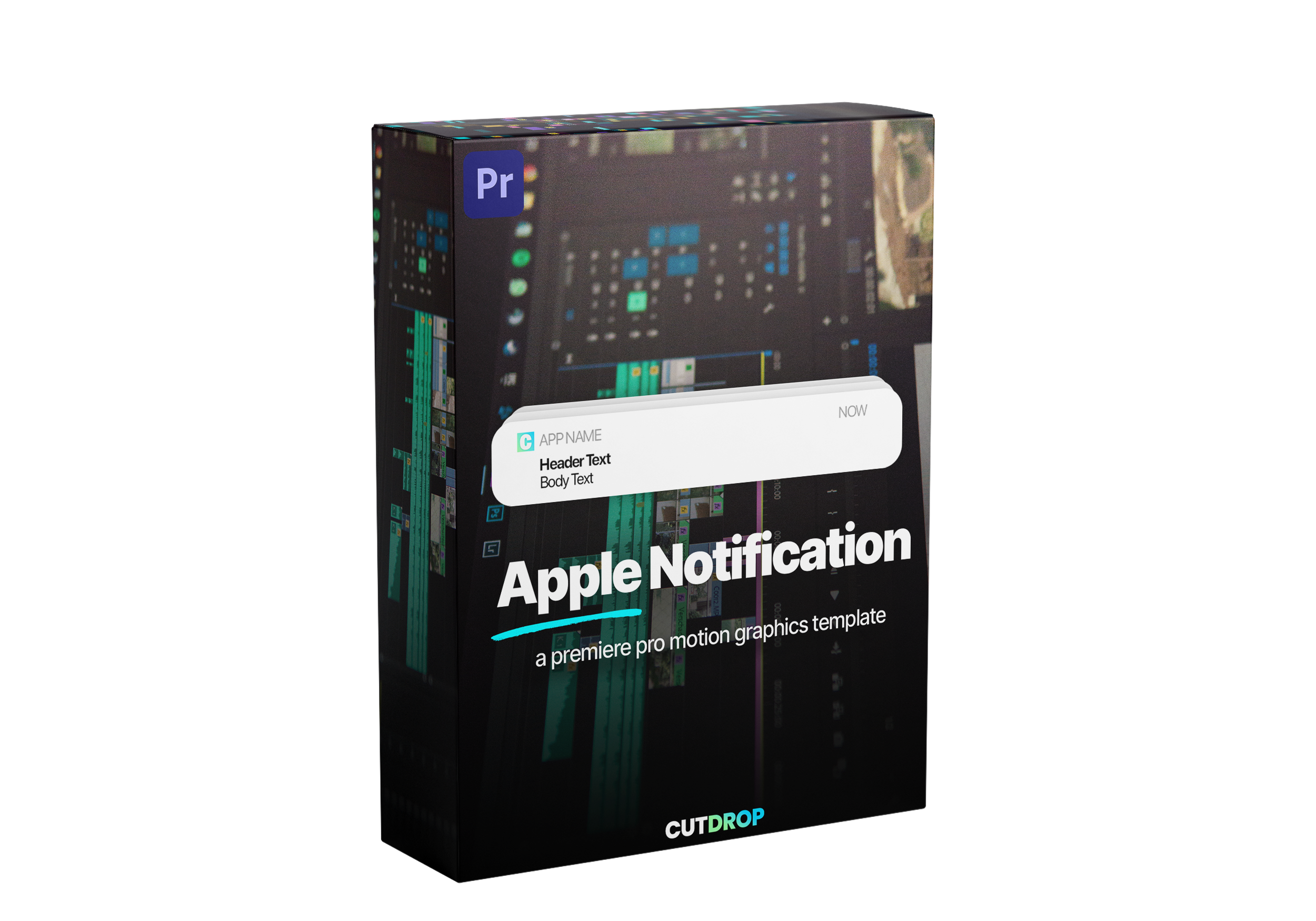
This motion graphics template (.mogrt) file works directly in Premiere Pro 2022+ and will help you to improve your edits by adding a clean and styilized Apple style notification! You can customize everything (application logo, application name, header text, body text, opacity, color, size, etc).
If you have any questions, you are always welcome to contact us. We'll get back to you as soon as possible, within 24 hours on weekdays.
Shipping Information
Use this text to answer questions in as much detail as possible for your customers.
Customer Support
Use this text to answer questions in as much detail as possible for your customers.
FAQ’s
Use this text to answer questions in as much detail as possible for your customers.
Contact Us
Use this text to answer questions in as much detail as possible for your customers.
1+
Motion Graphic Template
6
Categories
30+
Customizations
15+
New Elements
Apple notification template
You can make unlimited notifications and customize more than 30 parameters : font, font-weight, font-size, positions, opacity, colors, animation and more!
30 customization options
You can customize everything about the notification : texts, fonts, sizes, positions, opacity, color, logos and more.
Premiere Pro Presets
Your creativity is the limit
Simply drag and drop the .mogrt file in your timeline, customize everything and get a clean animation in a minute!
Product details
Are these titles compatible with Premiere Pro?
Yes! These are .mogrt files, which means you can import them in Premiere Pro.
Are they easy to install?
Import them in Premiere Pro > Essential Graphics and it's done!
Can I use them in DaVinci?
Unfortunately no, these are only compatible with Premiere Pro.
Join our Discord community
Get access to exclusive resources, connect with other members, and stay updated with the latest news.
After payment, you're redirected to a download page with instant access. A download link is also sent automatically to the email address you used at checkout. All products are delivered as a single .zip file — we never deliver through Google Drive, Dropbox or any third-party storage.
I didn't receive my download email
Check your spam folder and search for "CutDrop" in your inbox. Still nothing? Email support@cutdrop.io with the address you used at checkout and we'll resend it.
How many times can I download a file?
5 downloads per file, valid for 30 days from purchase. If your links expire, email support@cutdrop.io and we'll reactivate them.
What software is compatible?
All our packs are built and tested for Adobe Premiere Pro 2022 and later. Compatibility for each product is listed on its product page. They don't currently work in DaVinci Resolve or Final Cut Pro — DaVinci-specific packs are in the works.
Are they hard to install?
No. Import them into your presets panel and drag-drop onto your timeline. No plugins needed, and every pack includes a short guide.
Can I use them in commercial projects?
Absolutely. All products include a commercial license — use them in client work, YouTube, social media, ads, unlimited projects, unlimited clients.
What you can't do: resell, redistribute, share or repackage the files, modified or not, upload them to public storage or asset libraries, or claim authorship.
Do you offer refunds?
Digital downloads are final sale under EU distance-selling rules — you waive your withdrawal right at checkout.
On top of that, we offer a 14-day technical guarantee. If a product won't install or doesn't work on a listed Premiere Pro version, email support@cutdrop.io within 14 days of purchase with your order number and your Premiere Pro version. We'll fix it, and if we can't, you get a full refund.
Do I get future updates?
Yes. When we update a pack you already own, you get the new version for free, sent straight to your inbox.
I already bought a pack, can I upgrade to the bundle?